
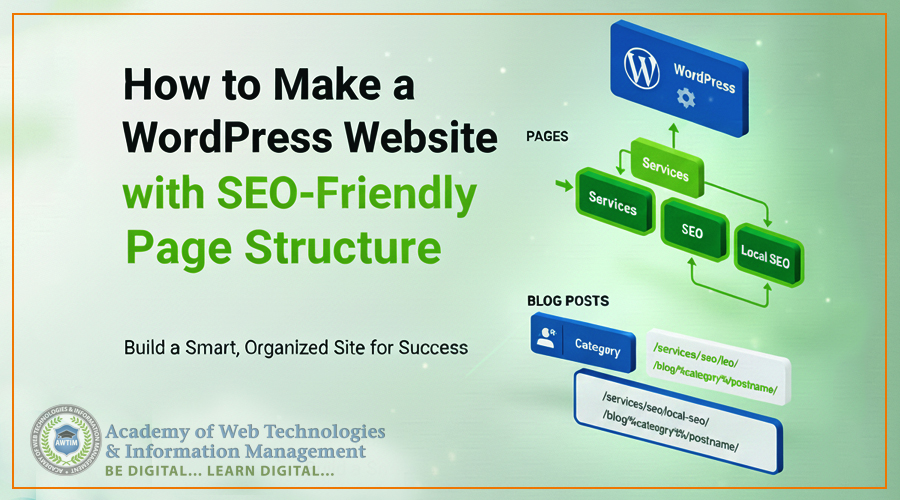
Easy tutorial to make WordPress website with SEO Friendly URL structure
Introduction:
An “Easy tutorial to make WordPress website with SEO Friendly URL structure” by Academy of Web Technologies & Information Management
When you build a WordPress website, it’s not just about design—it’s about creating a clear map for your users and for search engines like Google. A great way to do this is by making sure your web addresses (URLs) are tidy and logical.
This simple guide will show you how to set up two different, essential URL structures that are optimized for SEO (Search Engine Optimization), using the power of WordPress’s built-in tools.
Understanding the Goal: WordPress Posts vs. WordPress Pages – the main differences
The fundamental difference between WordPress content types lies in their respective roles in your website’s structure:
WordPress Posts are for timely, dynamic content (like blog posts, news articles, or tutorials) and are typically organized by Categories and Tags. They are displayed in reverse chronological order on a blog page, often have comments enabled to encourage community engagement, and include metadata like a publication date and author. Posts are focused on delivering fresh, sequential updates.
WordPress Pages are for timeless, static content (like “About Us,” “Services,” or “Contact”). They are organized hierarchically (using a parent/child structure) to build your site’s core structure and are manually placed in your main navigation menu. Pages are often cleaner, do not display a date, and usually have comments disabled, as their purpose is to provide foundational, easily accessible information.
Your website typically has two main types of content, and each one needs its own URL structure:
- Static Pages (Services, About Us, Contact): These need a hierarchical (parent/child) structure. This makes it clear to users and search engines that one page is a subgroup of another.
- Blog Posts (Articles, News): These need a category-based structure. This shows readers and Google which topic the article belongs to.
Part 1: Setting Up the SEO-Friendly Global Permalinks
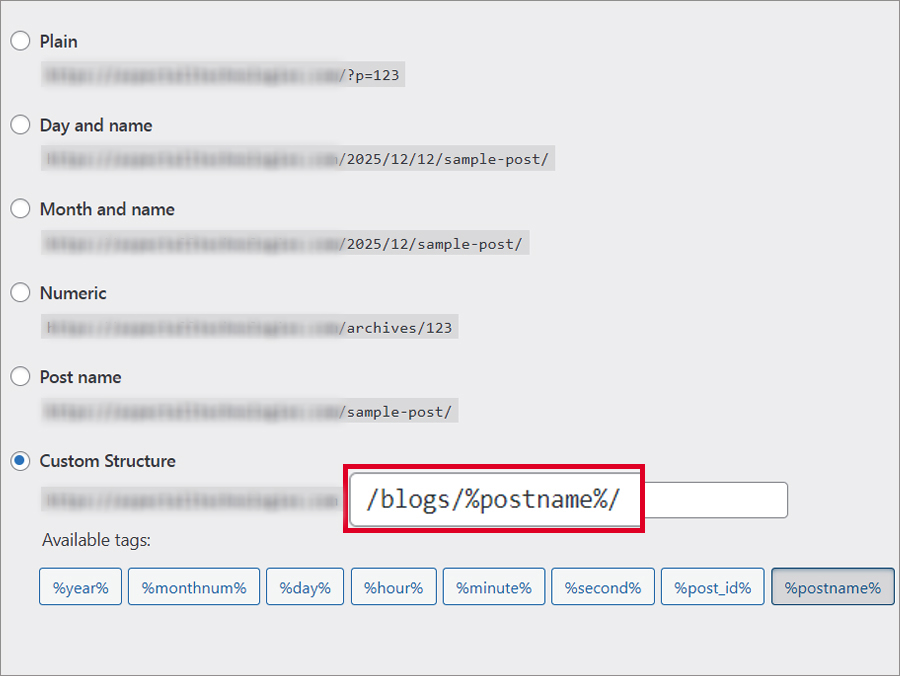
First, we tell WordPress how to handle your Blog Post URLs. This setting is global, meaning it applies to all new posts.
- Go to Settings: Log into your WordPress dashboard and navigate to Settings > Permalinks.
- Choose Custom Structure: Select the Custom Structure radio button.
- Enter the Blog Post Structure: In the field, type:
/blog/%category%/%postname%/
Why this works: The /blog/ is a static starting point (recommended for clarity), %category% automatically inserts the main category you assign, and %postname% uses the title of your post.
- Save: Click Save Changes.
Example Blog Post URL: If you write an article “Best Tips for Link Building” and file it under the “SEO” category, your URL will be:
https://awtim.com/blog/understanding-the-differences-between-web-design-and-web-development/
Part 2: Creating the Hierarchical Page Structure (The Key SEO Trick)
This is how you get those neat, nested URLs for your important service pages, like the structure you wanted: /services/seo/local-seo/.
You achieve this by using Parent Pages when you create new pages.
Step-by-Step Hierarchy Setup
You need to create the pages in a specific order, setting the parent for the child pages:
- Create the Top-Level Page:
- Go to Pages > Add New.
- Title: Services (Slug should be services).
- Parent Page: (Leave as None/Default).
- Publish.
- URL so far: /services/
- Create the Mid-Level Page:
- Go to Pages > Add New.
- Title: SEO (Slug should be seo).
- Parent Page: Select Services from the dropdown menu (found under Page Attributes).
- Publish.
- URL so far: /services/seo/
- Create the Final Service Page:
- Go to Pages > Add New.
- Title: Local SEO (Slug should be local-seo).
- Parent Page: Select SEO from the dropdown menu.
- Publish.
🎉 The Final Result
WordPress combines the slugs of the parent pages to create the final, nested URL automatically:
[yourdomain.com/services/seo/local-seo/](https://yourdomain.com/services/seo/local-seo/)
Why This Structure is Great for SEO
- Clarity: This structure tells Google and users exactly where the “Local SEO” page fits within your entire site (it’s a sub-service under your main SEO services).
- Relevance: The most important keywords (services, seo, local-seo) appear early in the URL, which is a small but helpful ranking factor.
- Organization: It keeps your site organized, making it easier for Google to crawl and index your content correctly.
By setting up both the category-based permalinks for your blog and the parent-child hierarchy for your pages, you build a clean, professional, and search-engine-friendly foundation for your entire WordPress site!
Disclaimer: This blog and all its contents are protected by copyright, owned entirely by Academy of Web Technologies & Information Management (AWTIM). We strictly prohibit the use, duplication, or transmission of any text, screenshots, or featured imagery for commercial or non-commercial purposes without obtaining direct, written permission from an authorized representative of our company. Legal action will be taken against any unauthorized use.
Read Also:
- The Importance of Keeping Your Web Development Skills Up-to-Date in 2025
- SEO glossary: 60+ SEO terms and definitions for 2026
- Top 10 computer courses in Kolkata for 2026 in Demand – Complete Guide
- Understanding the Differences between Web Design and Web Development
- The Importance of HTML, CSS, and JavaScript in Web Development
- Tips for Learning Web Design and Development Online 2025
- The 10 Most Career-Oriented Institutes for Full Stack Education in Kolkata 2025
- Digital Marketing Course in Kolkata 2025: Syllabus, Fees, Duration, Jobs, Freelancing
Follow us on Youtube & Facebook
About Author
